
Inspections, step by step
A simple form guides you through each stage. Record the inspection result, equipment status and next due date without searching through the app for the right options.
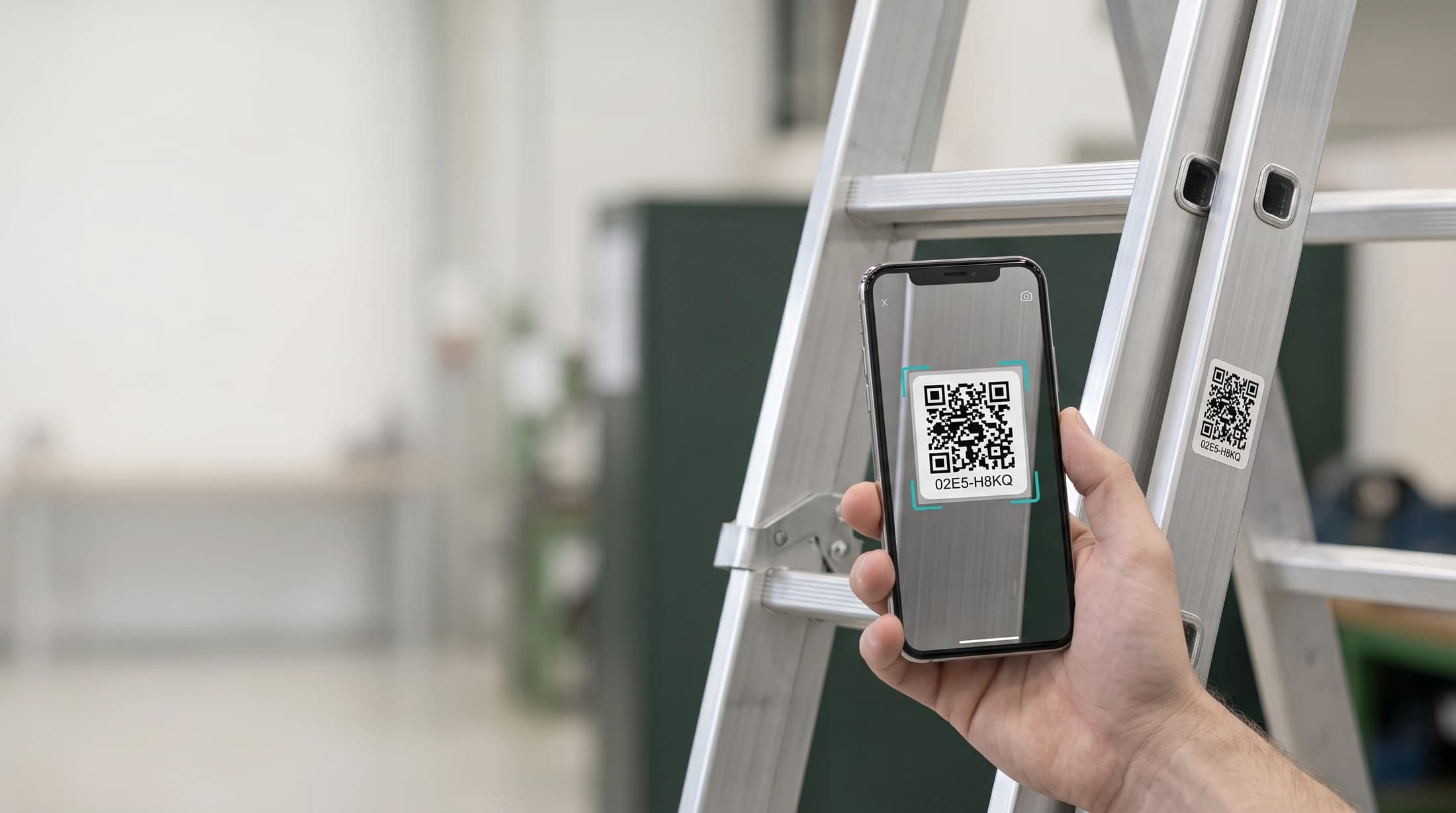
Simply scan the label with your phone to check the equipment’s current status and next inspection date. No account or login needed.
Once signed in, authorized inspectors can record inspections, add photos and generate reports. QRventory automatically reminds the right people when inspections are due.
No account needed to viewScanning illustration · actual Polish interface
Public view of ladder 02E5-H8KQ: in-service status, inspection date, category and location. Polish interface.
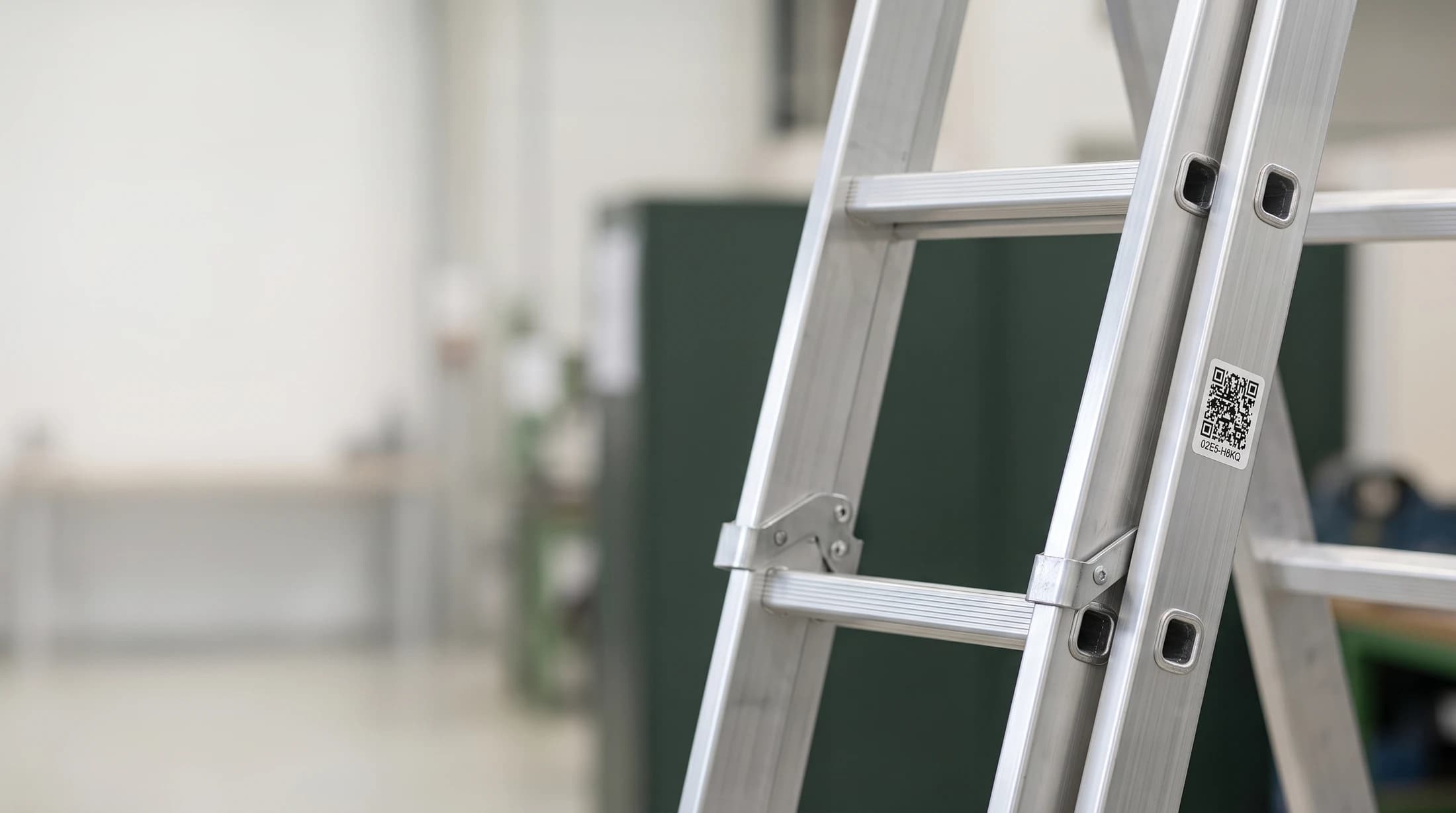
A ladder with its QR label in the workplace. QR label for ladder 02E5-H8KQ. Scan the label with your phone. Status and next inspection date. No login needed.
Scan the item's QR code. See its status, location and next inspection date without searching for documents or logging in.
Scan the equipment’s QR code to start an inspection. QRventory guides you through recording the result, the next due date and attachments. Everything stays in one place, linked to the right item.
A simple form guides you through each stage. Record the inspection result, equipment status and next due date without searching through the app for the right options.
Add photos and attachments as you record the inspection. They stay linked to that inspection, so you can easily find them later.
Select the inspections you want to include and generate a downloadable report using information already recorded in the app.
QRventory keeps track of inspection dates and notifies the right people in advance. No need to check dates manually or send reminders yourself.
Notifications arrive before an inspection is due, based on the settings for each equipment category.
QRventory selects recipients based on their roles and the equipment category. You don’t need to choose them for each inspection.
Once the next inspection date is recorded, QRventory keeps track of it and sends a reminder as it approaches.
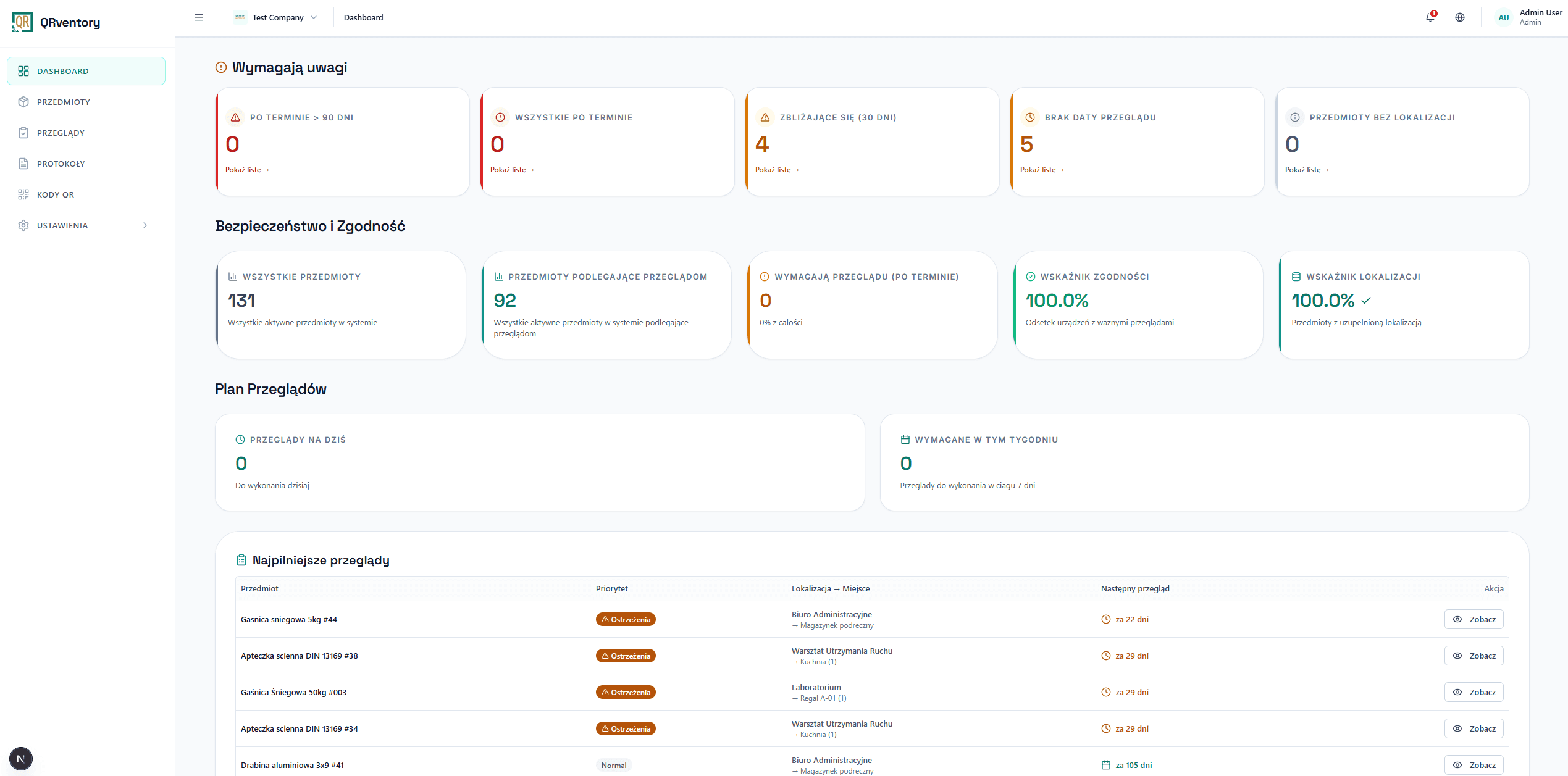
Get an overview of your equipment’s condition and easily prepare reports. Dashboard indicators, upcoming inspections and trends help you assess the situation and plan your next steps.
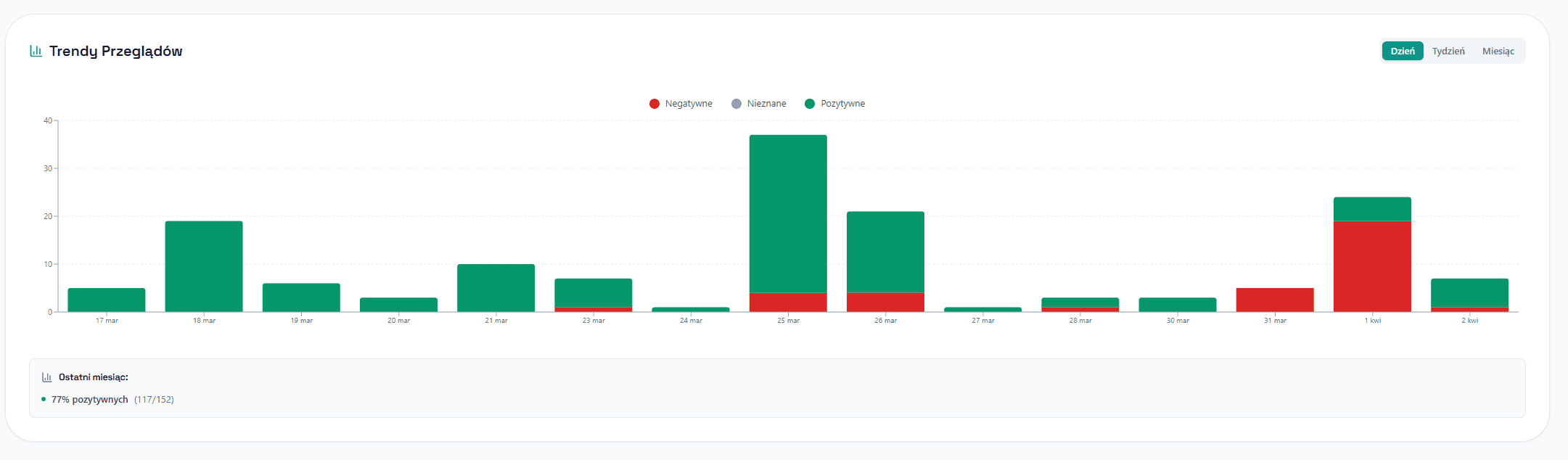
Compare inspection results over time and identify areas that need attention. Use the data to plan your next steps.
A subscription for your company
One subscription covers your company's equipment database. Choose a plan based on your item count — access for employees and invited contractors is included.
Up to 100 items
PLN 149
excluding VAT / month
Up to 300 items
PLN 249
excluding VAT / month
Up to 1000 items
PLN 499
excluding VAT / month
Annual billing: pay the equivalent of 10 months.
More than 1,000 items?
Ask for a custom quoteFor inspection providers
Inspecting equipment for several clients? Switch organizations and work with their equipment within your assigned access.
For inspection service providers and teams working across organizations.
Interactive workflow illustration
Work with the manufacturing company's equipment and document its inspections.
Each organization provides its own working context and assigned permissions.
Refer your clients to QRventory or resell subscriptions. Each company keeps a separate equipment database, while you can work across multiple organizations.
20%
of the paid subscription excluding VAT during the first 12 months
QRventory bills the client and provides application support.
The partner bills clients and provides basic assistance. QRventory provides technical support.
Monthly billing with a 30% partner discount. All amounts exclude VAT. This example assumes subscriptions are sold at catalogue prices.
| Partner's clients | Total catalogue prices | Partner pays |
|---|---|---|
| 10 companies with up to 100 items | PLN 1,490 | PLN 1,043 |
| 8 companies with up to 300 items | PLN 1,992 | PLN 1,394.40 |
| 2 companies with up to 1000 items | PLN 998 | PLN 698.60 |
| Monthly total | PLN 4,480 | PLN 3,136 |
remains with the partner each month before service costs, when subscriptions are sold at catalogue prices.
Let's discuss a model that fits your company and clients.
Discuss a partnershipNo. The public view shows equipment status and the next inspection date without logging in. Making changes requires the appropriate access.
Logged-in people with the appropriate access in the organization. The organization is responsible for assigning access to the right people.
Yes. A user can belong to multiple organizations and switch the active company in the application.
After inspections are recorded, an authorized user selects them and starts report generation. Saving an inspection and generating a document are separate actions.
Choose a plan based on your equipment count and contact us. We will help scope the setup and add or import your data in an agreed format. For more than 1,000 items, we will prepare a custom quote.
By the number of items in your company's database: Start covers up to 100, Firma up to 300, and Firma Plus up to 1,000 items. Every plan includes access for employees and invited contractors, QR scanning and recording inspections at no extra charge.
Annual subscriptions are paid upfront and cost the equivalent of 10 months: Start PLN 1,490, Firma PLN 2,490, and Firma Plus PLN 4,990. All prices exclude VAT.
No. These are separate partnership models. Referrals earn 20% of the paid subscription excluding VAT during the first 12 months. Resellers receive a 20%, 25% or 30% discount based on the number of paying companies.
Managing equipment or providing inspections? Let’s talk about the way your organization works.
Plans from PLN 149 per month excluding VAT. Custom quotes for more than 1,000 items.
kontakt@qrventory.plPrefer a conversation and product walkthrough?
Book a walkthroughFields marked * are required. Phone is optional.